New · For Grade 9s and their parents
Meadow Minds
Your Grade 9 study companion
Learn. Practise. Grow.
Short lessons, quizzes and step-by-step practice on your child’s phone, and a dashboard that shows you exactly where they get stuck. Built on the CAPS Grade 9 curriculum, from the textbook, and informed by past GEC papers.
Meadow Minds follows South Africa’s school curriculum (CAPS), so it’s only available in South Africa.
R99 per child. No subscription. Nothing to download: it opens on any phone.
The free taster has one topic in each subject, with no sign-up. Answers in the taster aren’t saved.
Why I made it
Built for my own Grade 9, first
I built Meadow Minds for my own Grade 9 child, to make studying for exams feel less overwhelming. Everything comes in small pieces: one slide, one question, one step of a sum at a time. Key words are explained right where they appear, anything can be read aloud, and wrong answers get a kind explanation instead of a red cross.
It made a real difference at home, so I’m sharing it with other families.
Meadow Minds doesn’t replace classwork, the textbook, homework or studying the usual way. It’s a tool alongside them: to help your child understand the ideas, practise until they stick, and test themselves before the real thing.
Made by a busy brain. For busy brains.
- Small chunks that don’t overwhelm
- Read aloud on every lesson and question
- Practice until it sticks, not just once
- Calm colours and big, easy buttons
- Works on any phone, nothing to download
For your child
Learn it, then practise it until it sticks
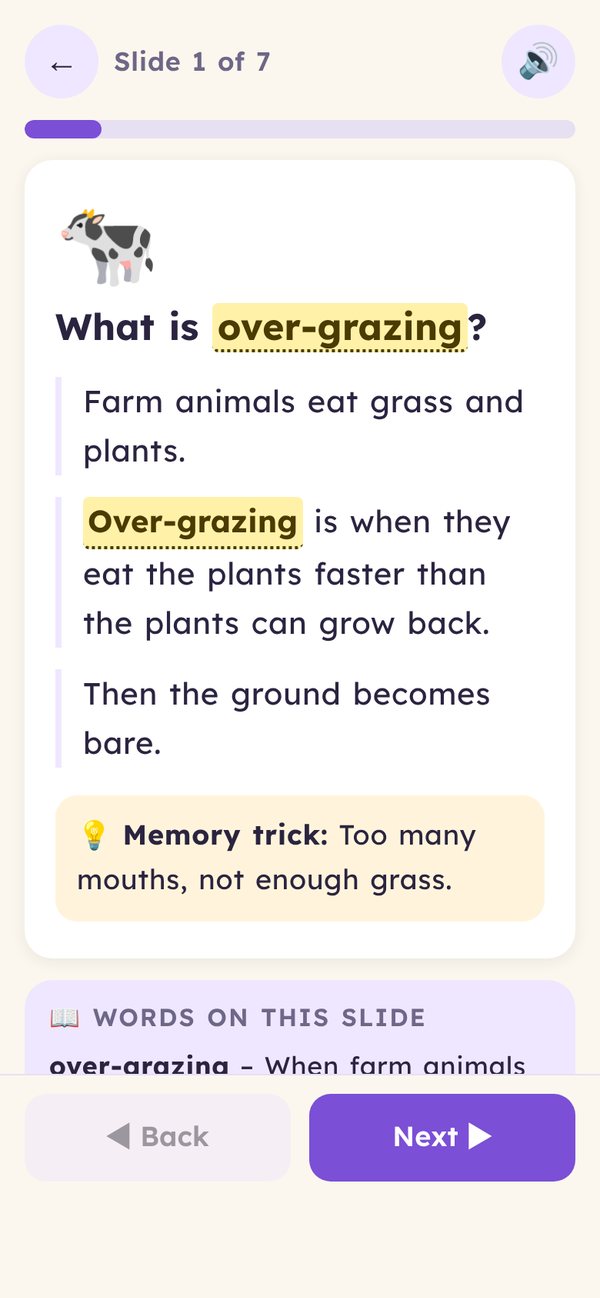
Every topic has three steps: a short lesson, a quiz, and practice. Here’s what your child sees.
Short lessons, read aloud
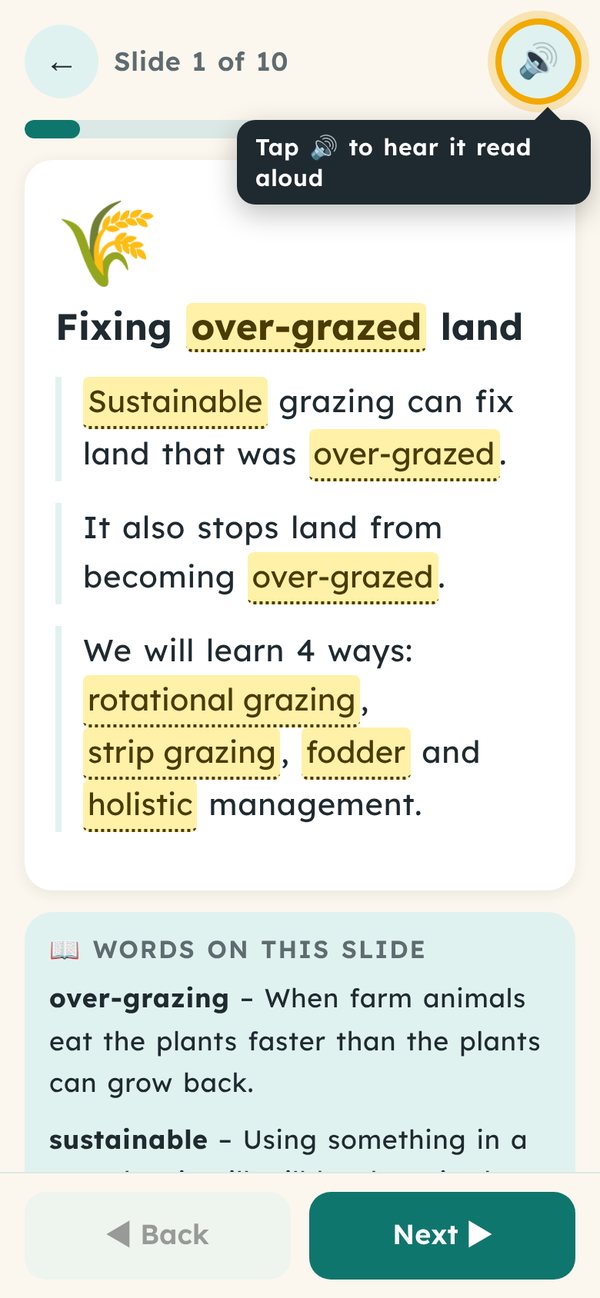
A few short lines per slide, with a memory trick. Tap 🔊 to hear any slide read aloud.
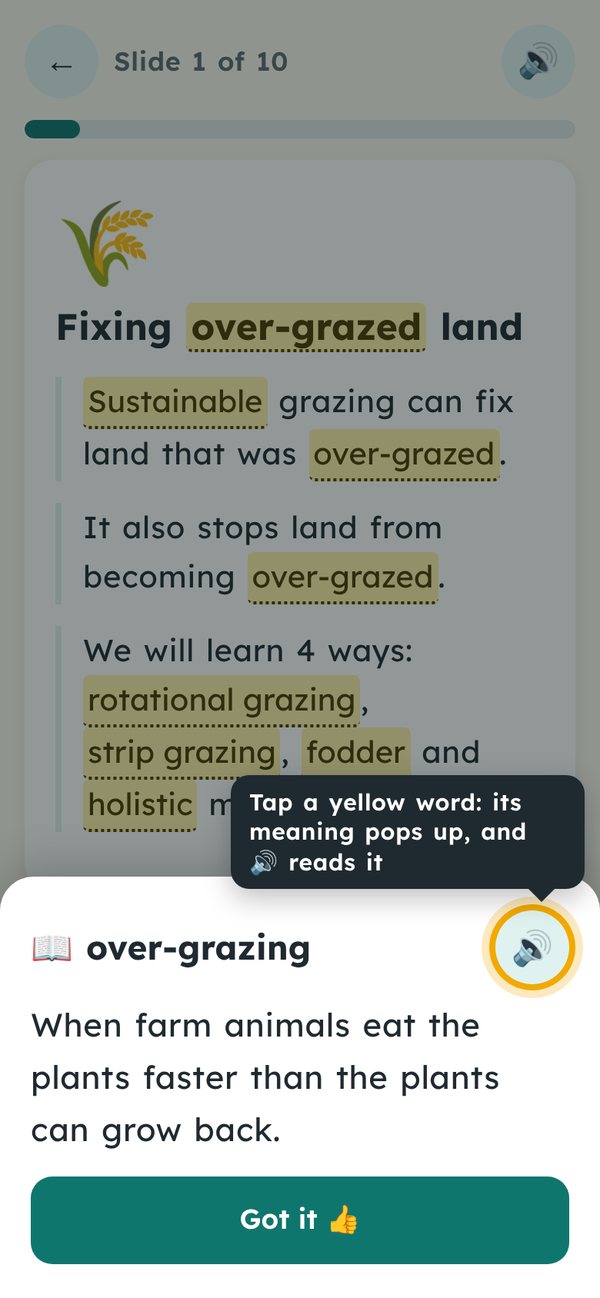
Key words, explained
Important words are highlighted in yellow. Tap one and its meaning pops up, right where you need it.
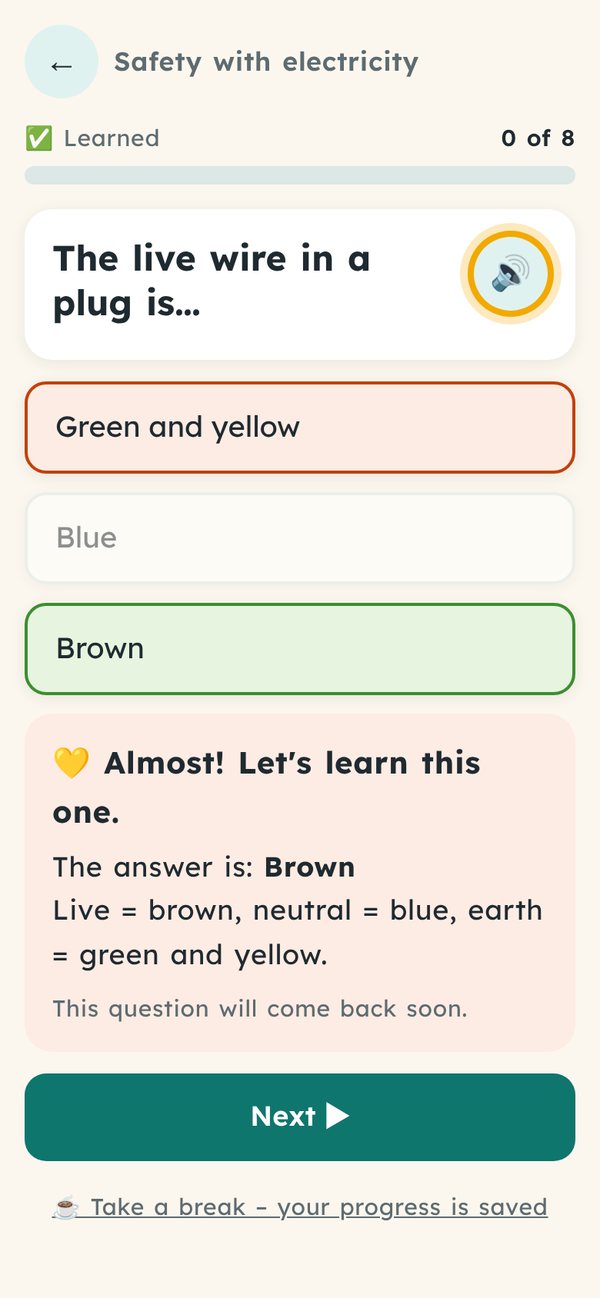
Kind when it’s wrong
A wrong answer shows the right one and why. The question comes back later, so it gets learned, not just seen. Right answers leave the pile.
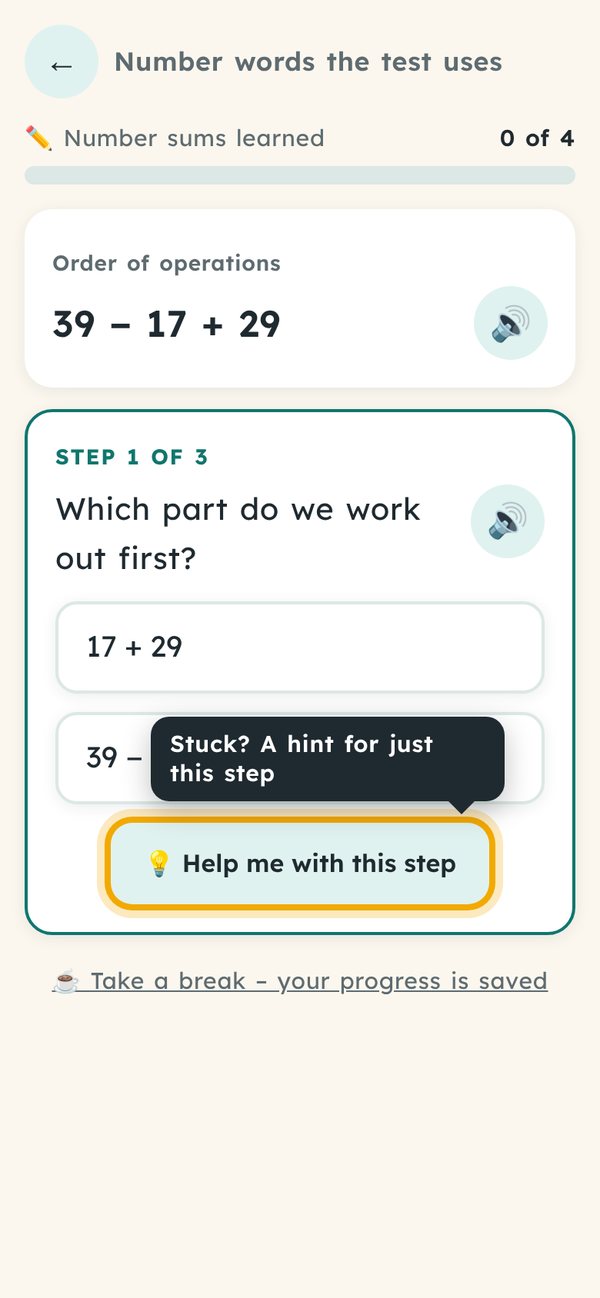
Sums, one step at a time
Maths, accounting entries and science calculations are broken into steps. Stuck? There’s a hint for just that step.
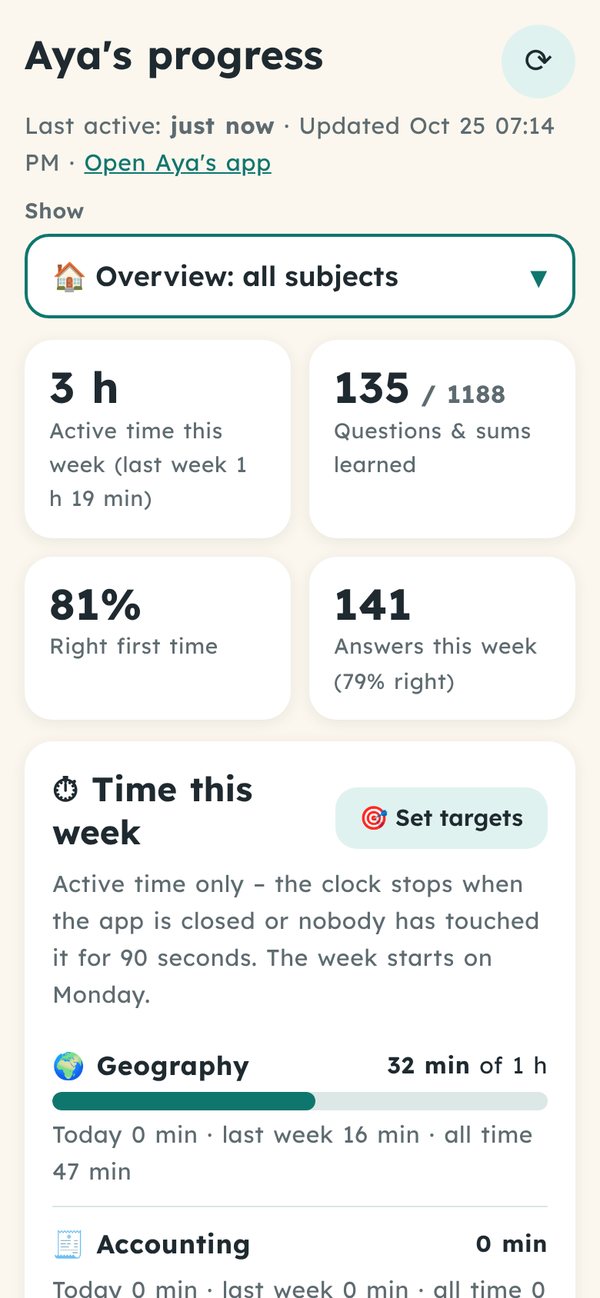
For you
See exactly where they get stuck
Your own dashboard, behind a PIN that only you know.
- Real study time per subject (the clock stops when they stop)
- What’s learned, topic by topic, and how much is right first time
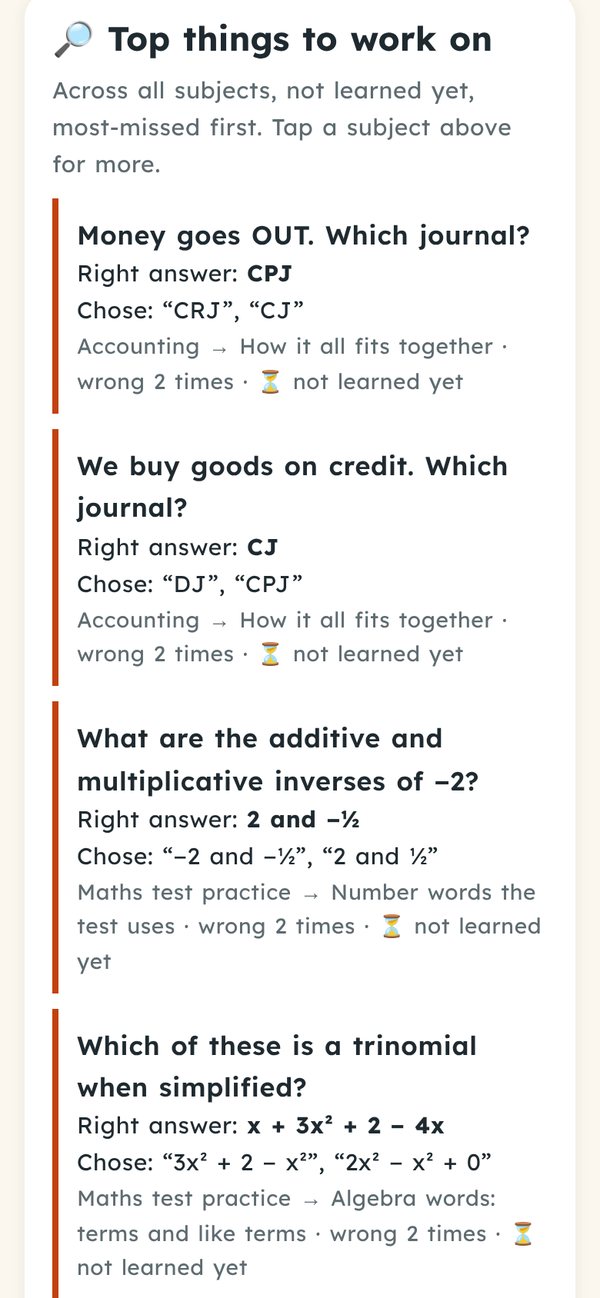
- The exact questions they keep missing, what they chose, and even which step of a sum trips them up
- Weekly time targets you set
- Choose how much you see: just the headlines, or every detail
- Download or delete your child’s data at any time
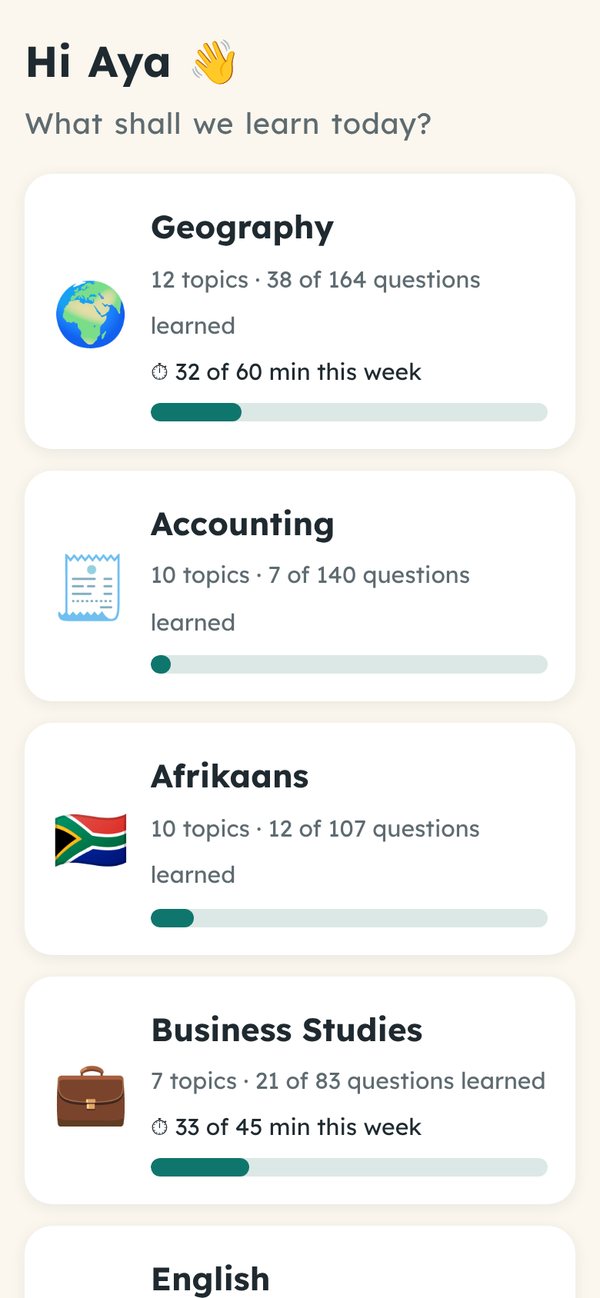
Pretend progress for Aya, a made-up Grade 9, so you can see both the headlines and the full view.
11 subjects, 122 topics
Built on the CAPS Grade 9 curriculum, from the textbook, and informed by past GEC papers. Untick any subjects your child doesn’t take.
More subjects, and Grade 10, are on the way for 2027.
How it works
Four steps, about five minutes.
Pay securely
R99 per child, by card on Yoco’s secure page.
Open your email
Tap Open my dashboard in the email we send you.
Set it up
Your child’s first name, a PIN for you, and their subjects. Two minutes.
Send them their link
Tap Send by WhatsApp. They add it to their home screen, like an app.
Only available in South Africa
Meadow Minds follows South Africa’s school curriculum (CAPS), so it’s only available in South Africa. If you’re in South Africa and seeing this, please WhatsApp us.
Get Meadow Minds
R99 per child. Pay securely by card on Yoco’s payment page. Your email arrives as soon as your payment goes through, usually within a minute or two.
Prefer to pay by EFT? WhatsApp us or email plan@meadowmoments.co.za and we’ll send our banking details.
Not sure yet? Try one topic in each subject for free (answers in the taster aren’t saved), or see a sample parent dashboard.
Your child’s privacy
Their data is theirs
We keep only what Meadow Minds needs: your child’s first name, their answers and study time, and your name and email. A parent or guardian gives consent at setup, as POPIA requires.
- Never sold or shared with schools or advertisers
- Download or delete everything from your dashboard
- Cleared automatically after 3 months without use (we email you first)
Questions
Do we need to download an app?
No. Meadow Minds opens in the browser on any phone, tablet or computer. Your child taps their link and adds it to their home screen, and it opens like an app, with its own icon.
Is this all my child needs to study?
No. Meadow Minds supports studying, it doesn’t replace it. Your child should still use their textbook, class notes and anything their teacher gives them. Meadow Minds helps them understand the key ideas, practise them, and test themselves so they can see what they know and what still needs work.
Can we try it before we buy?
Yes. The free taster opens one topic in each subject, with no sign-up. It’s only a taster, so answers aren’t saved: if you buy, your child starts fresh on their own link, where everything is saved. You can also see a sample parent dashboard with pretend progress.
Will it match what my child does at school?
It’s built on the CAPS Grade 9 curriculum, from the Grade 9 textbook, and the maths practice is informed by past GEC papers. Schools teach topics in different orders, so your child can jump straight to whatever they’re studying. When you set up, untick any subjects they don’t take.
I have two Grade 9s. How does that work?
Choose 2 children when you order. Each child gets their own study link and their own progress, and you get a dashboard for each.
Can my child see my dashboard?
No. Your dashboard has its own link and a PIN that only you know. Your child’s link only opens their lessons.
How long can we use it?
For as long as your child uses it. If neither your child’s app nor your dashboard is opened for 3 months, we delete the data to protect your family’s privacy. We email you 2 weeks before, so you can keep it by opening your dashboard, or download a copy.
Can I give it as a gift?
Not yet. A parent sets it up for their own child, because the setup includes consent for the child’s data. Gifts are on our list.
Can I get a refund?
Yes. If you change your mind, you can have a full refund within 7 days of buying, as long as you haven’t set it up yet. If something isn’t working, tell us and we’ll fix it. See our terms and refund policy.
How do I get hold of you?
Email plan@meadowmoments.co.za or WhatsApp 062 441 8549. A real person (me, Wendy) reads every message.